JP's Website
I got some more computers...
Posted on 2026-11-01
Contents
- Hello/Goodbye to the SGI Octane
- DCS Graphics AlphaPC
- Apple Power Macintosh (Mirror Drive Door, dual 867 MHz)
- Transtec Ultra 10
- Sanyo MBC-27SL
- Goodbye to the HP Visualize B132L+
- Goodbye to the HP 9000 705
- Hello/Goodbye to the HP 9000 715/100
- What next?
I've ended up with a bunch of new computers, and so I've had to say goodbye to some old ones to make space. So I thought I'd leave myself some notes on what came in and what went out.
Some were pickups, and some came and went at the recent Bring and Byte sale at the Centre for Computing History in Cambridge. If you're ever in the area when there's one happening (check the museum's website for dates) it's worth stopping by - there's always something interesting available.
(I kick myself for not buying a working dual-processor Apple Power Mac G5 cheesegrater for £40, but I really didn't have the room for it).
Anyway, let's see what has come and gone in the past month or so.
Hello/Goodbye to the SGI Octane
A chance discussion on Mastodon resulted in me driving down to Southampton to collect a free SGI Octane. The Octane was the big-brother to my SGI O2 and it's hard to pass up a machine like that going for free - even if it involves a 7 hour round trip to collect.
The machine worked perfectly, although the case was a little broken and so the front panel was merely friction fit. It had two MIPS R100000 CPUs at 195 MHz, and a mind-bending 512 MB of RAM, plus a working mechanical SCSI hard disk drive (something I always love to see). Sadly, the graphics were the bottom-spec IMPACT SI graphics, with no texture RAM (TRAM) fitted. This meant that any of the SGI demos that involve texturing ran at seconds-per-frame, whereas they generally ran silky smooth on my O2. The Octane is also famous for having power supplies that grendade themselves, and having backplane connectors for the mainboard and graphics boards that are extremely fragile.
For that reason, I traded it with Nic at the Bring and Byte sale. I'm sure he's going to have a ton of fun with it.
Figure 1: The rear of the Octane (the PSU has been removed in this picture):
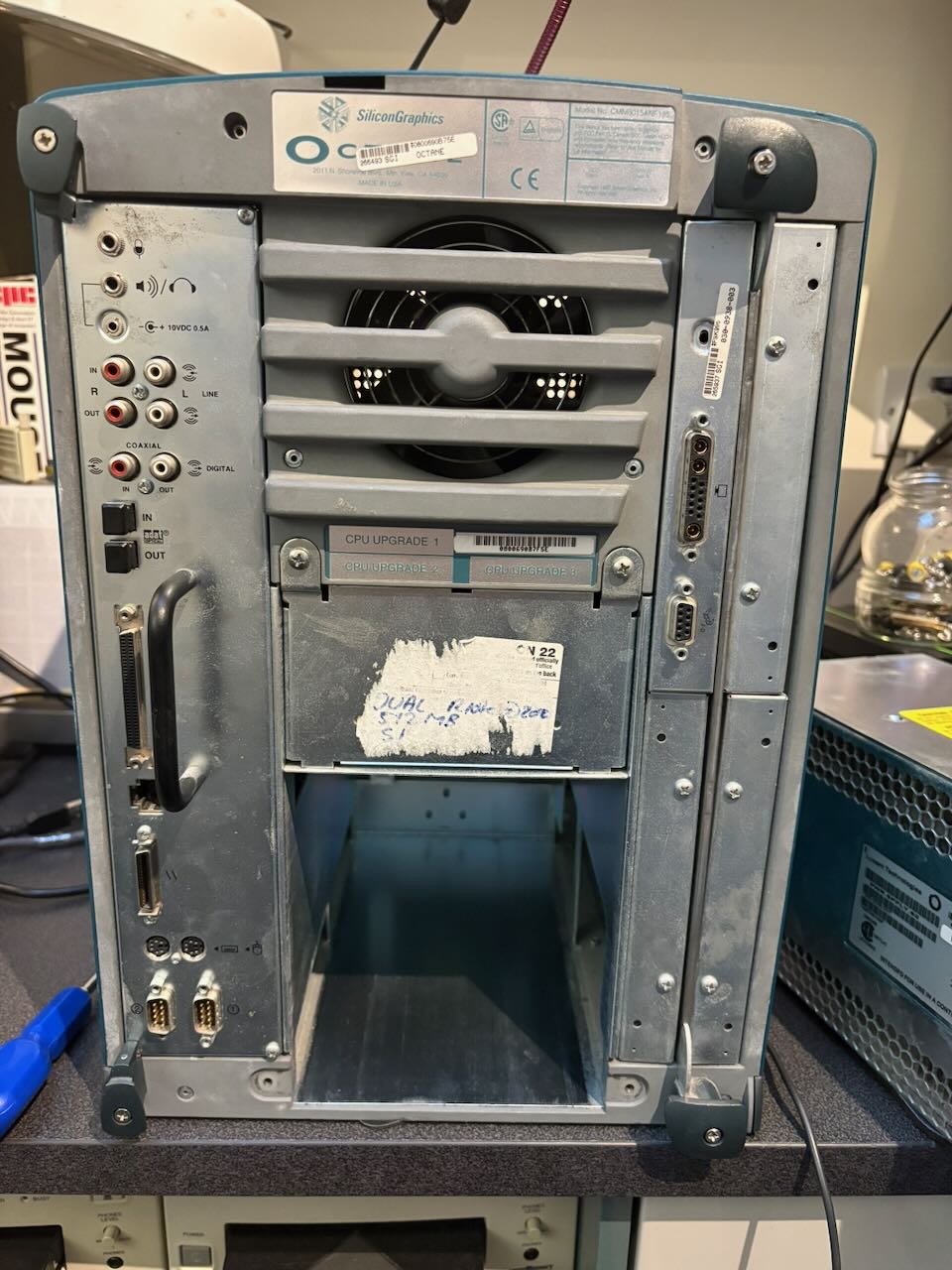
Figure 2: This is the CPU board (which is housed on the left in the previous picture):
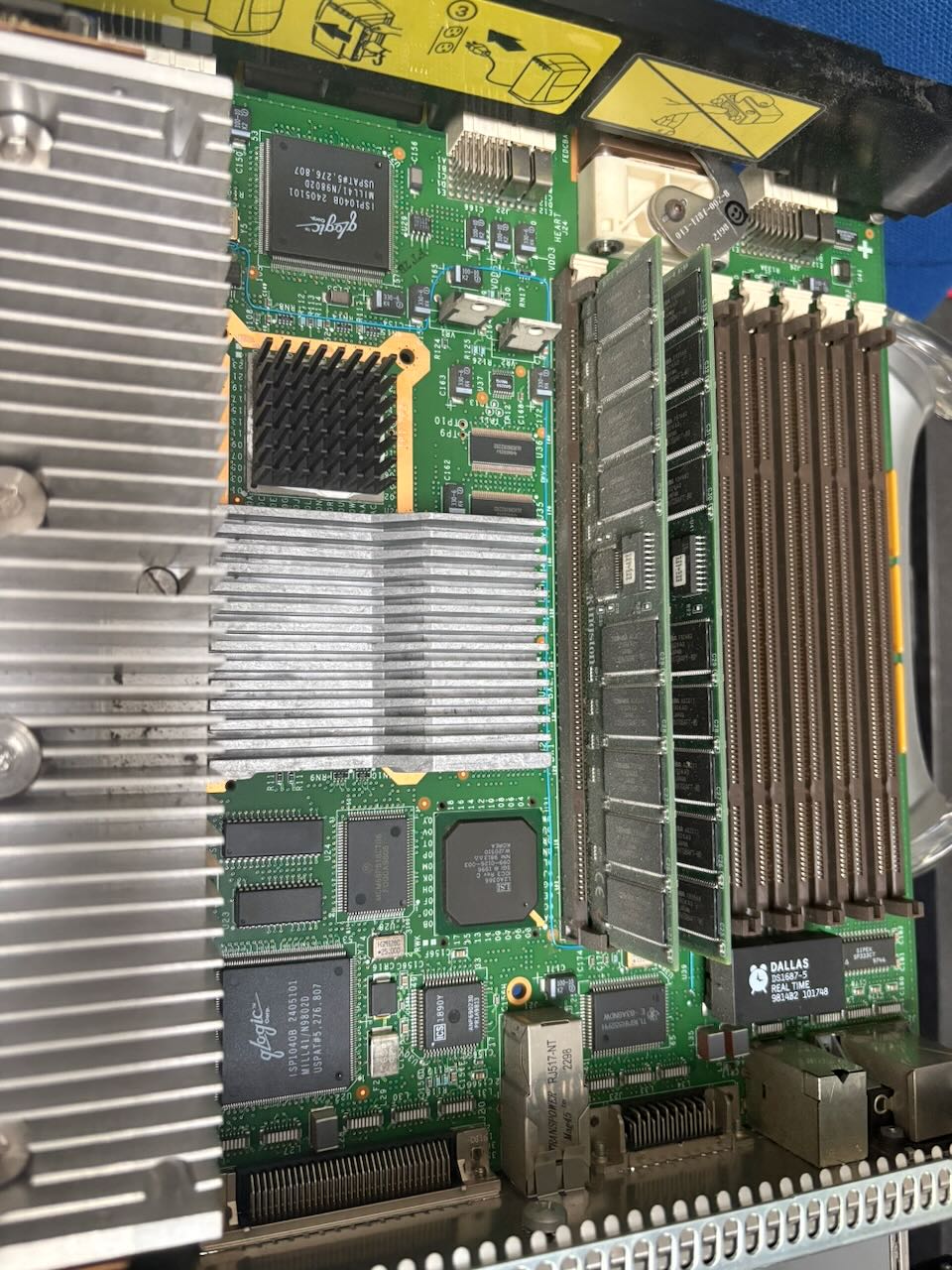
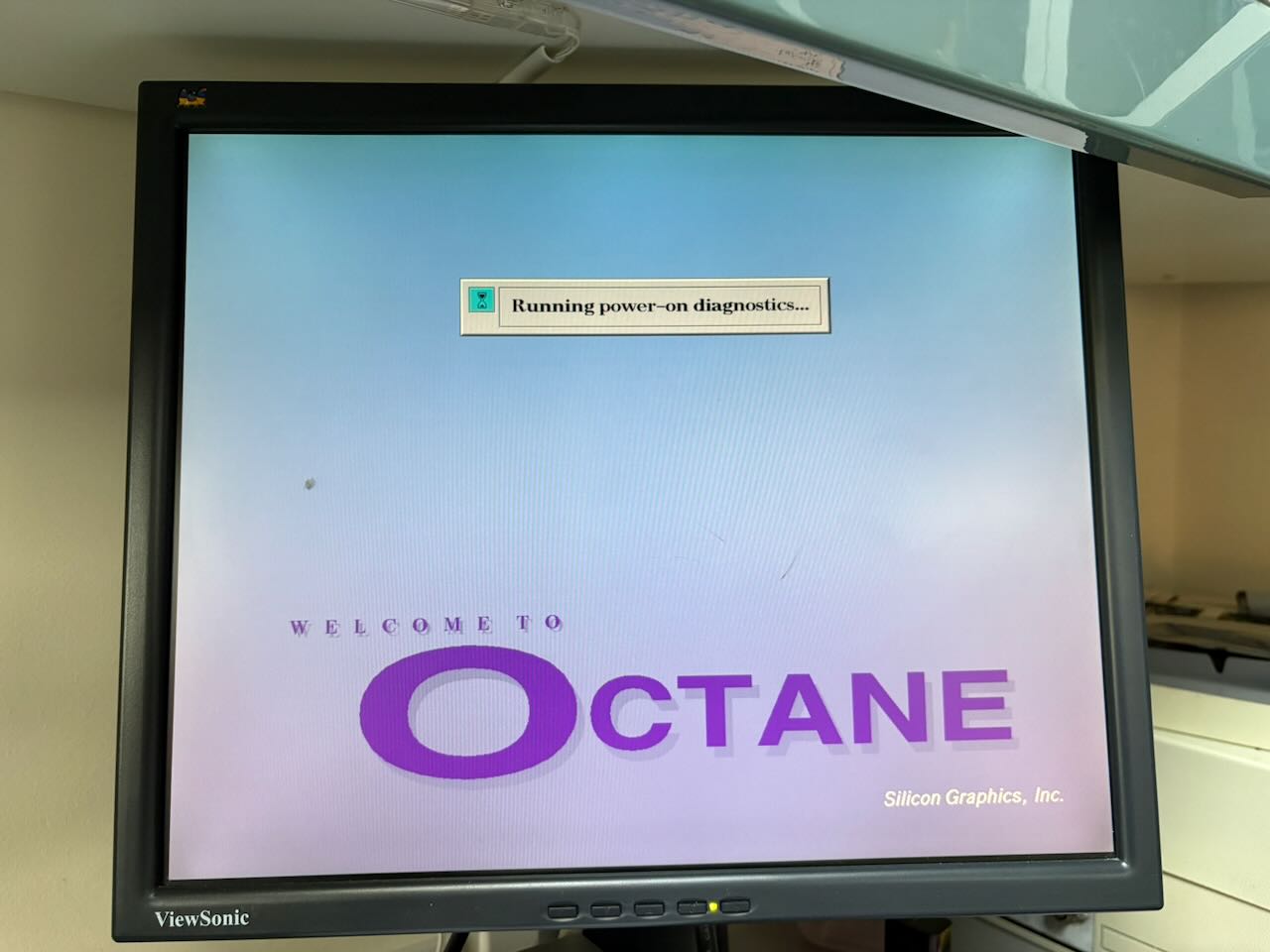
Figure 3: Why don't PCs look this good when booting? Here is the gorgeous SGI POST screen:
DCS Graphics AlphaPC
Whilst I was collecting the Octane, the owner said "I don't suppose you want an Alpha as well, do you?".
Do I?! I've been after a working Alpha for ages.
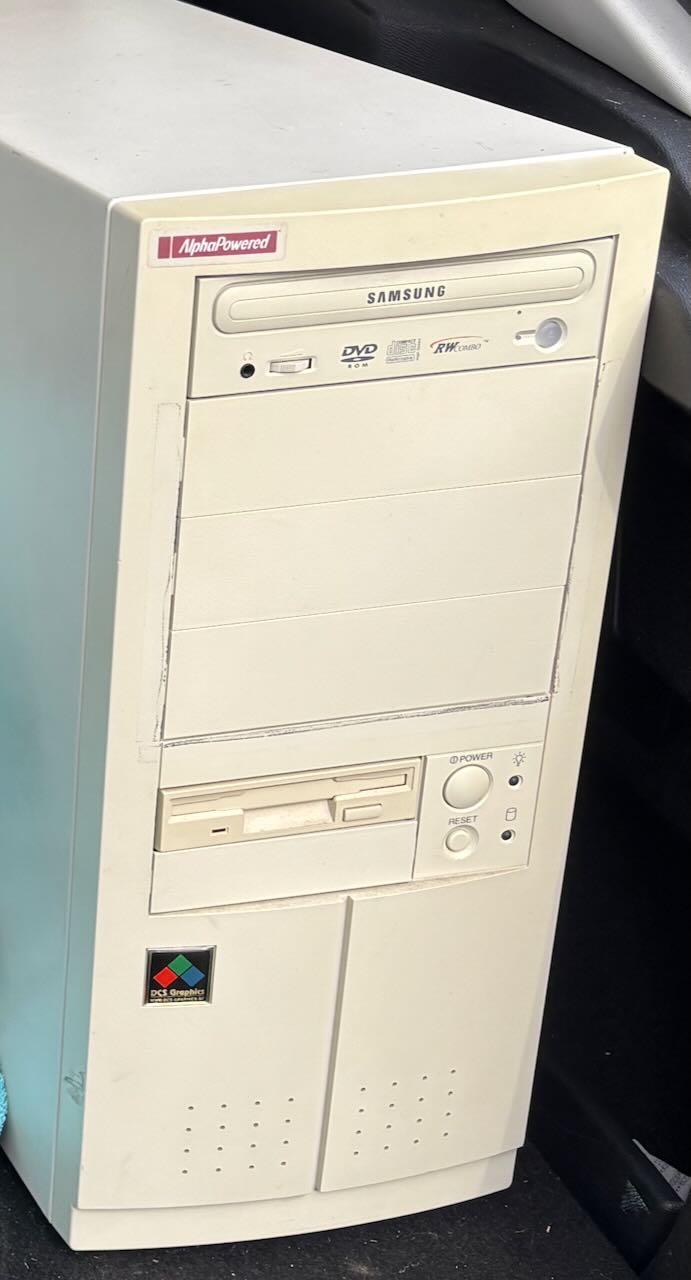
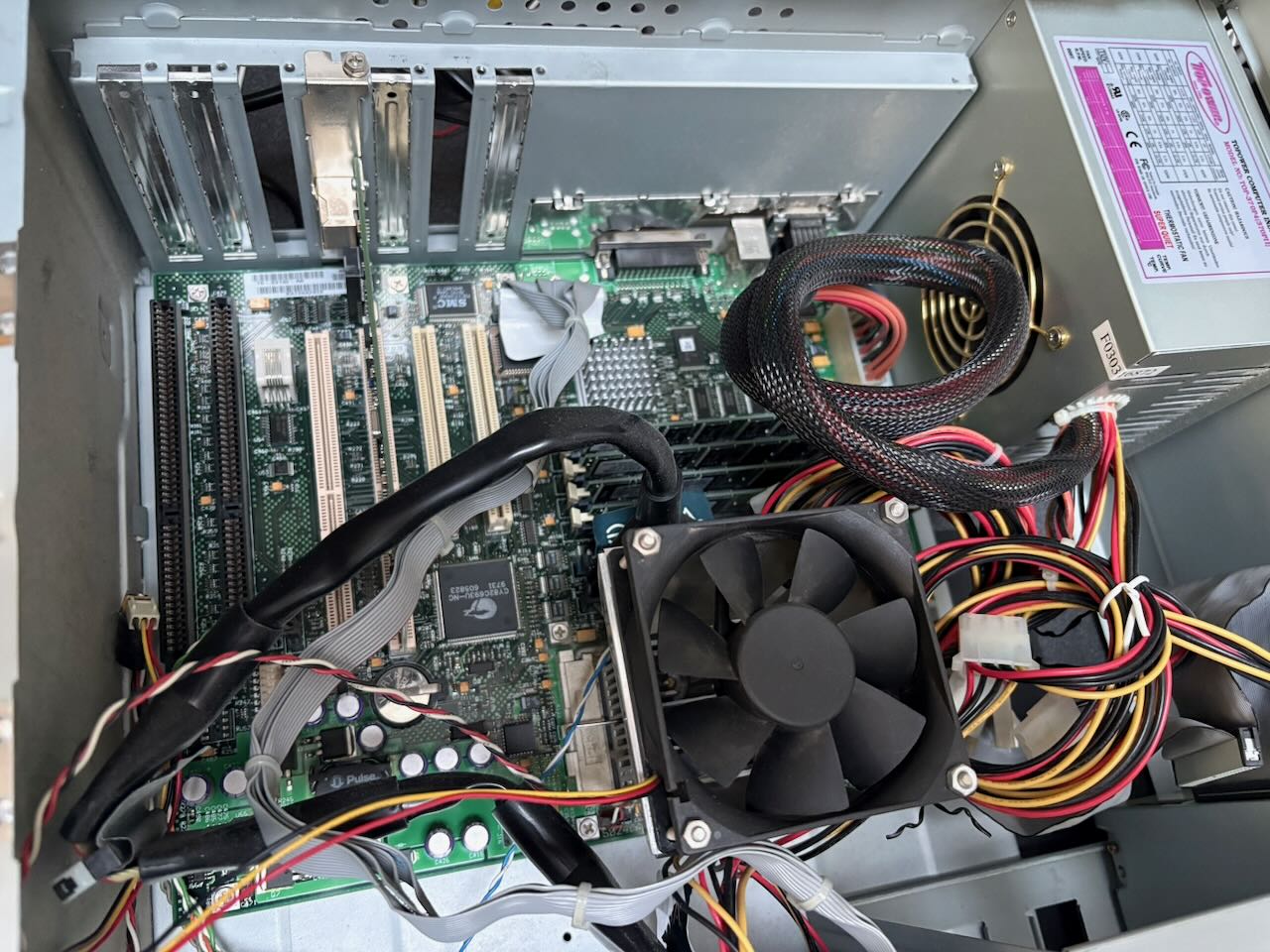
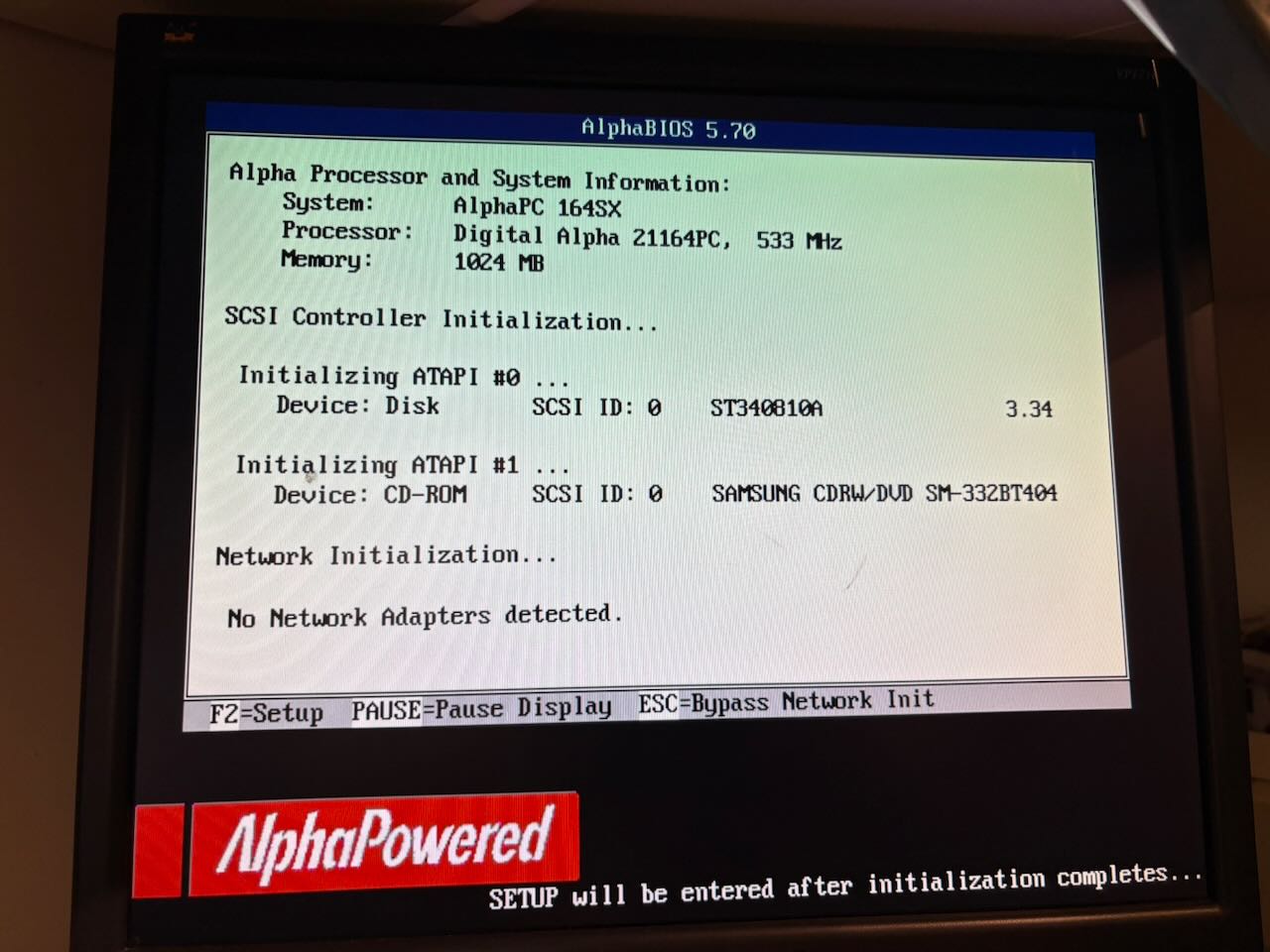
Now this Alpha is a curious thing - an OEM machine in an ATX case, that wasn't made by DEC. The case badge says DCS Graphics but I cannot find much information about them online. Inside is a DEC Alpha PC164SX mainboard, with a 533 MHz Alpha 21164PC processor. The board also has an outrageous 1024 MiB of RAM fitted. Inside was a 64-bit PCI Broadcom Gigabit Ethernet card, and the IDE hard disk had Tru64 UNIX installed which booted to a CDE login. I think the graphics card was a plain ATI Rage PCI card - these Alpha systems have an x86 emulator in the BIOS so they can use normal PC graphics cards by running the card's VGA BIOS in the emulator.
Figure 4: I love the basic beigeness of this case, hiding the power within.
Inside you get two 32-bit PCI slots, two 64-bit PCI slots, and two ISA slots. There is on-board IDE and Floppy, but not SCSI - the point was to make Alpha computers cheaper by using lower-cost commodity PC hardware. The board takes a standard ATX PSU, which is much easier to source than the massive proprietary beast in the SGI Octane.
Figure 5: Inside, it looks like a PC. But with a weird funnel to get maximum air into the heatsink.
Sadly the ROM on this Alpha board is only large enough for either the SRM (for Linux/UNIX firmware) or the AlphaBIOS (the Windows NT firmware). It came with SRM and I replaced it with AlphaBIOS 5.70. You can boot the other kind of ROM image if required by entering Floppy Disk Recovery Mode using a DIP switch on the mainboard.
Figure 6: Another great looking RISC workstation boot screen:
The machine is now configured with the pinnacle of mid-90s PC technology:
- PCI Matrox Millennium 2 MB graphics card
- PCI Allied Telesyn AT-2450FTX (AMD PCnet based) network card
- ISA Creative Sound Blaster AWE64 PnP sound card
- PCI Adaptec AHA-2940UW SCSI host bus adapter
- 9.1 GB SCSI hard disk drive
- Samsung IDE DVD-ROM drive
- 3.5" HD floppy drive
- PS/2 Keyboard and Mouse ports
All the hardware is set up and working in Windows NT 4 SP6 for Alpha. This was a challenge because basically nothing comes with Alpha drivers, and you're therefore left looking for devices that have drivers on the install CD. Honestly, the number of times I thought I'd found drivers for Windows NT on DEC Alpha but what I actually downloaded were alpha-quality drivers for Windows NT for x86.
I've uploaded the AlphaBIOS, and the required Windows NT HAL diskette image, to The Retro Web. Installation is pretty easy - just feed it the HAL disk and select "Other Machine", then press S to add the on-board IDE controller (twice - there's two of them). Everything else is pretty normal Windows NT stuff - just infinitely cooler by virtue of not being x86.
Apple Power Macintosh (Mirror Drive Door, dual 867 MHz)
When I picked up the Octane, and having nearly fallen over at the offer of the AlphaPC, I was also offered a Power Macintosh G4 - a Mirror Drive Door (MDD) model. I didn't really want or need one, but I said I was happy to take it and re-home it.
I passed it on to someone on the Short Circuit Discord within a couple of days, free of charge.
Transtec Ultra 10
I've written on here before about my Sun SPARCengine Ultra AXi board - an industrial ATX motherboard for OEMs to fit into MRI scanners and other such appliances. At the same time I acquired that, my friend Nic purchased his Transtec Ultra 10. This is effectively a Sun Ultra 10 clone, built in a fairly normal beige ATX case, using a SPARCengine Ultra AXi board.
Nic liked the board, but wasn't a fan of the case. I quite liked the case, and figured it would go nicely with my ATX AlphaPC (now I really need an OEM ATX PReP PowerPC system, and an OEM ATX MIPS system, so let me know if you have one of those spare). So did a deal where I'd get the case, PSU, and Plextor SCSI CD-ROM, and I'd return the board inside with the RAM. I could then fit my SPARCengine board and RAM - which I wanted to keep because I've fixed the NVRAM battery on mine.
Figure 7: More basic beige, and I'm here for it.
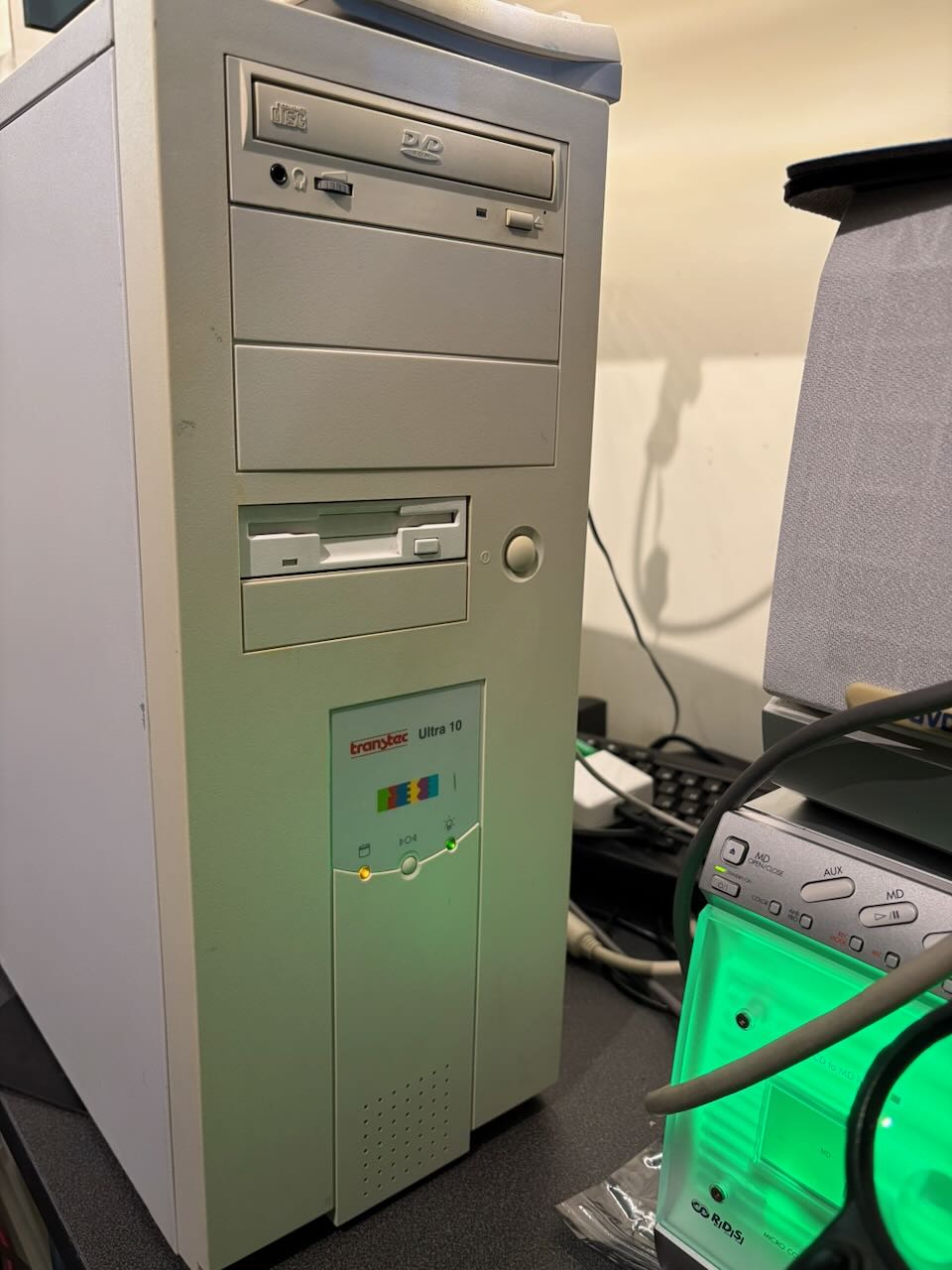
This machine is now has:
- Sun UltraSPARC-IIi at 333 MHz
- 256 MiB RAM
- On-board 100base-T Ethernet and Ultra-Wide SCSI
- PCI Tech Source, Inc. Raptor GFX 8P graphics card (aka Sun PGX32)
- PCI SunPCI IIpro "Chimera+" PC compatibility board
- Intel Celeron 733 MHz
- 128 MiB RAM
- SiS Chipset, with graphics, network and sound
- PCI Creative Sound Blaster AudioPCI sound card
- 18 GB Ultra-Wide SCSI hard disk drive
- Generic SCSI DVD-ROM drive
- 3.5" HD floppy drive
- Sun Keyboard/Mouse port (and internal headers for PS/2 Keyboard and Mouse ports)
Figure 8: Another fairly normal looking "PC" motherboard (with a whole actual PC in one of the PCI slots):
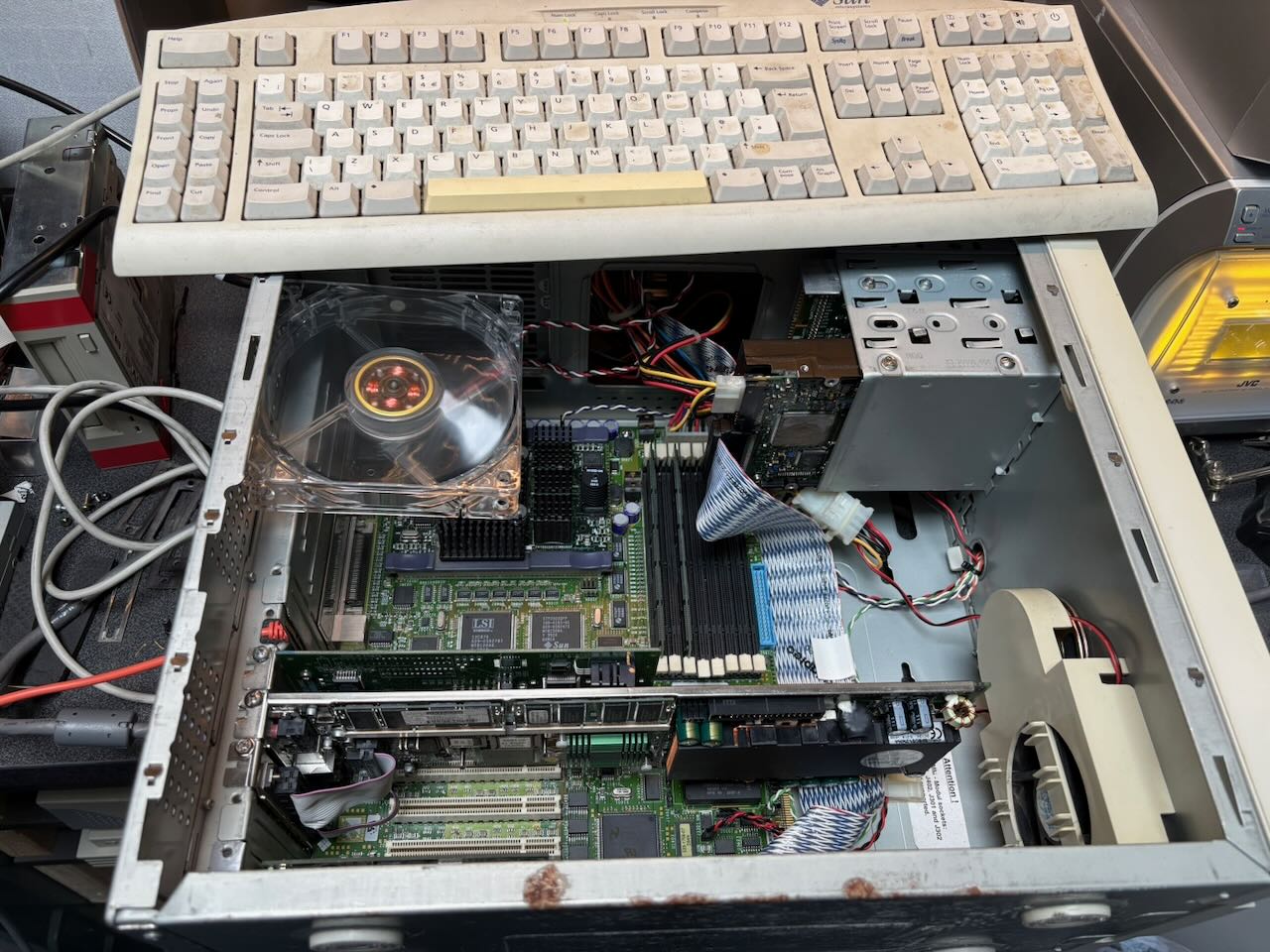
The sound card is the fifth (!!) one I've tried - the SB Live! was not Big Endian compatible, and whilst the Audigy LS, C-Media 8738 and Crystal CS4280 all claimed to be supported by 4Front OSS, none of them worked in the SPARCengine. The ES1373 based AudioPCI, however, is detected by the Solaris 8 installer and works out of the box. In the rare event you have a Sun machine with PCI slots but no on-board sound, get an AudioPCI.
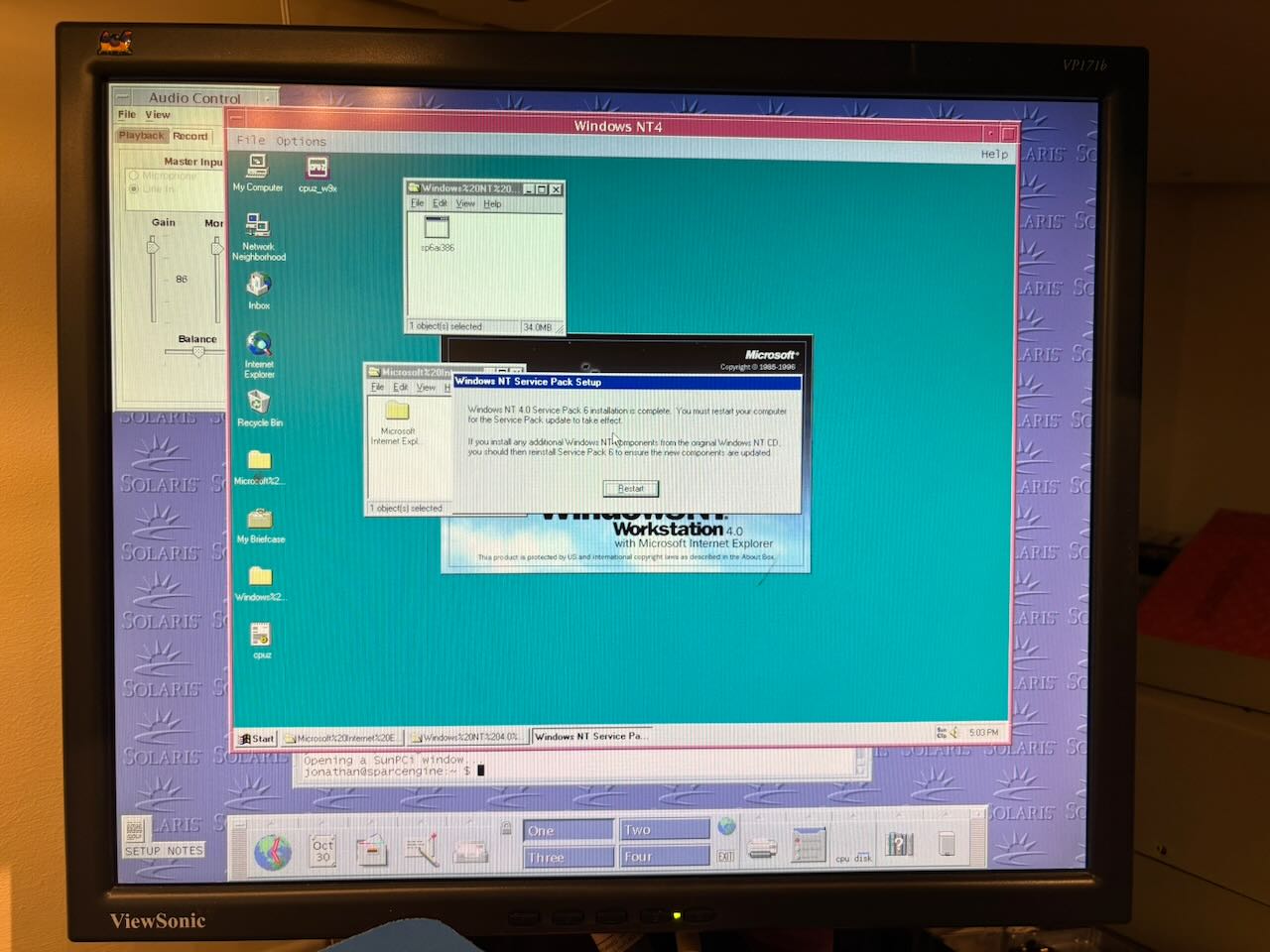
I put a fresh install of Solaris 8 on the machine, and then used the SunPCI 2 software to install Windows NT 4 for x86. There was no Windows NT port for SPARC, so this will have to do!
Figure 9: Running Windows in a window is fairly easy with SunPCI:
Sanyo MBC-27SL
Whilst at the Bring and Byte I saw this adorable little Sanyo MBC-27SL desktop PC. It's a 386SX running at 20 MHz, and it's in perfect working order. It reminds me of my sorely missed Amstrad MegaPC, which had a similar LPX design inside. This is now my go-to machine for MS-DOS and Windows 3.1, meaning I can concentrate on running Windows 98 and Windows 2000 on my Pentium III. I've fitted a PicoMEM 2, which makes it super simple to install software from 'virtual' floppy disks, but I'm keeping the real IDE hard drive, because I love hard drive noises.
Figure 10: Look at this little guy (ignore the junk on top of it):
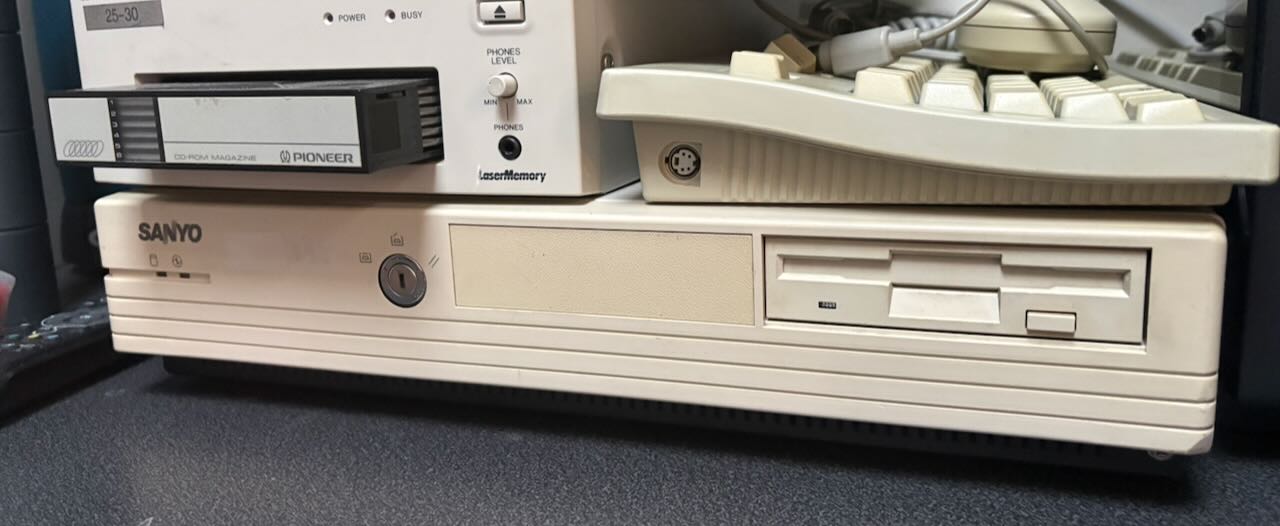
Figure 11: I wish the PicoMEM 2 had a bracket, but it's fairly snug in there and not going anywhere:
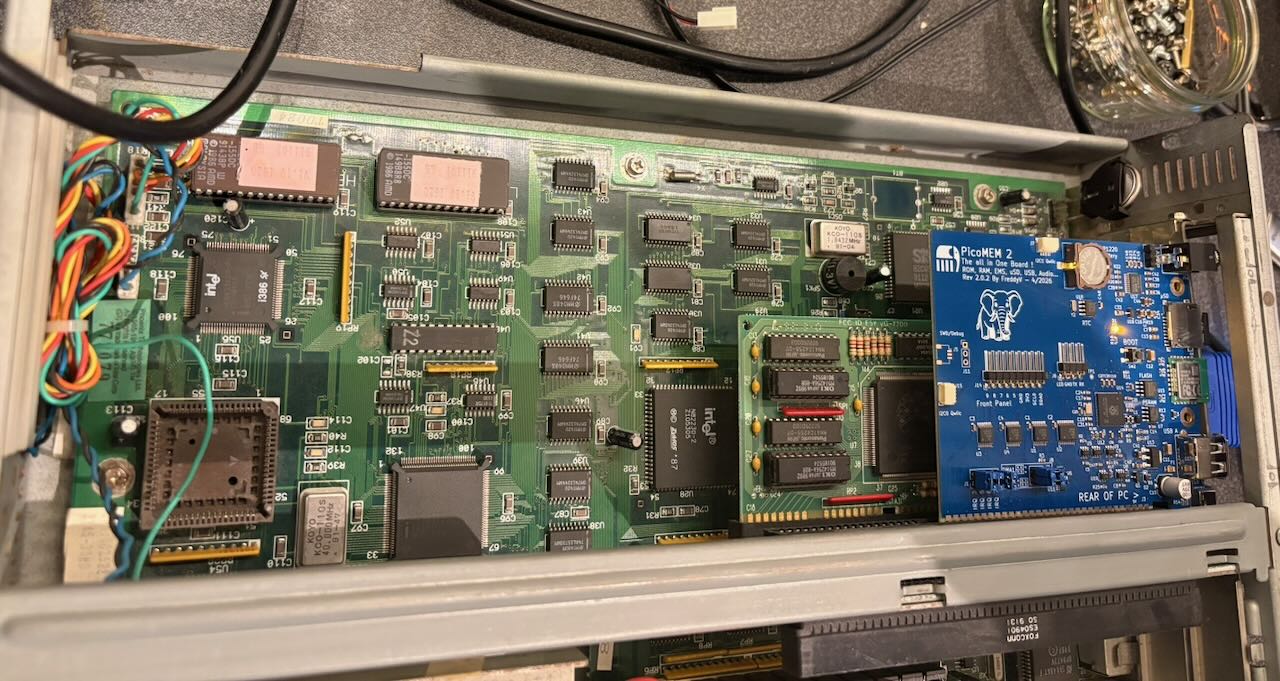
The full specs are:
- 80386SX, 20 MHz
- 8 MB RAM (8x 1MB 30-pin SIMMs)
- ISA OAK Technology OTI067 512K VGA graphics card
- ISA PicoMEM 2
- Seagate ST3660A 520 MiB (545 MB) IDE hard drive
- 3.5" HD floppy drive
- PS/2 Keyboard and Mouse ports
The hard drive came with ONTRACK Disk Overlay installed, and if you've heard of that and you know what I'm about to say, then I'm sorry for bringing back bad memories.
I erased the drive and went to install MS-DOS, but the drive was coming up as about 17 MB. Of course, the reason it had ONTRACK Disk Overlay installed is because the BIOS and the IDE interface have differing limits on the numbers of Cylinders, Heads and Sectors a drive may have. Taking the worst-case maximum across both standards, and you get 504 MiB (528 MB) (that's 1024 cylinders, 16 heads and 63 sectors per track at 512 bytes per sector). This was a slightly larger drive, with 1057 cylinders, and so the number wrapped around and MS-DOS thought it was a really small drive.
Rather than deal with ONTRACK Disk Overlay, I just lied to the BIOS and capped the number of cylinders at 1024 (which the manual for the drive says you can do). This reduces drive capacity from 520 MiB (545 MB) to 504 MiB (528 MB), but I can live with that if it means I can boot from floppy disks that don't have the drive overlay software in the boot sector.
Goodbye to the HP Visualize B132L+
I liked this 1996 PA-RISC desktop a lot. But, I have a 64-bit PA-RISC HP Visualize C3000 and a 32-bit PA-RISC HP 9000 712. And I have a space problem.
If it hadn't sold at the Bring and Byte I would have been OK with that, but I got £100 fairly early on.
Goodbye to the HP 9000 705
The HP 9000 705 was a small PA-RISC desktop from 1992 that I had on loan from Matt (in exchange for my HP 9000 715). I mostly had it because it came with a HIL keyboard and mouse, and I needed those for my HP 9000 340. However, I recently bought my own HIL keyboard so I was able to return the 705 to its owner.
If I ever want to do HP-UX multi-architecture clustering again, I still have an HP 9000 712 which will do the job as cluster server.
Hello/Goodbye to the HP 9000 715/100
When I returned the 705, I received back my 1994 HP 9000 715. This takes HIL keyboards and mice, but also supports PS/2 devices (both via a weird dongle that hangs off the back of the machine). However on this model, the PS/2 mouse interface was quite unreliable.
The machine was returned to me at the recent Bring and Byte sale but I left it on my sale table and then accidentally sold it when someone offered me £100 for it. I'm sure they'll enjoy it and as I never really got to use it, I probably won't miss it.
What next?
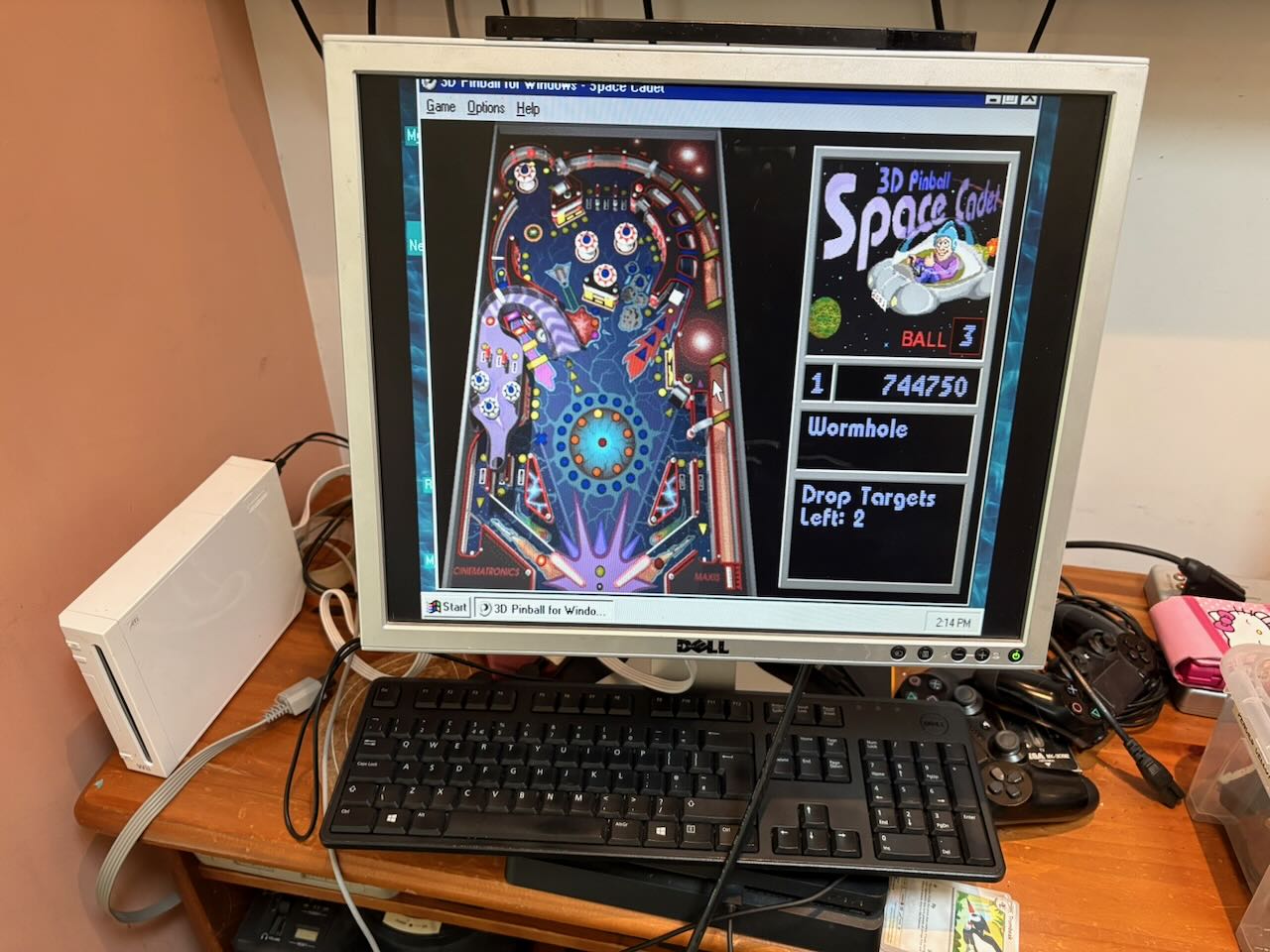
I'll be at the Retro Computer Festival in two weeks. I usually bring some 90s RISC UNIX boxes, but this time I'm going to bring a bunch of 90s RISC Windows NT boxes, running the Space Cadet table from the bundled copy of 3D Pinball for Windows that comes with Windows NT 4 (even on MIPS, PowerPC and Alpha). I'll have Windows NT 4 for x86 on the SunPCI IIpro card in the Transtec Ultra 10, Windows NT 4 for Alpha on the DCS Graphics AlphaPC and Windows NT 4 for PowerPC on either my beige Power Macintosh G3, or my Nintendo Wii. The G3 is unreliable at booting Windows due to bugs in the bootloader, so it is likely to be the Wii on display.
Figure 11: Windows NT 4 for PowerPC, on a white small form factor PowerPC 750 workstation I had lying around:
Via the magic of emulation we might even be able to complete the Windows NT 4 quadrilogy and have the MIPS RISC variant on display as well...